

Daily coaching
The athlete page
Everything about one athlete, tab by tab.
Open any athlete from the dashboard, the Athletes page or search. Their page brings together everything they’ve shared with you.
The top of the page
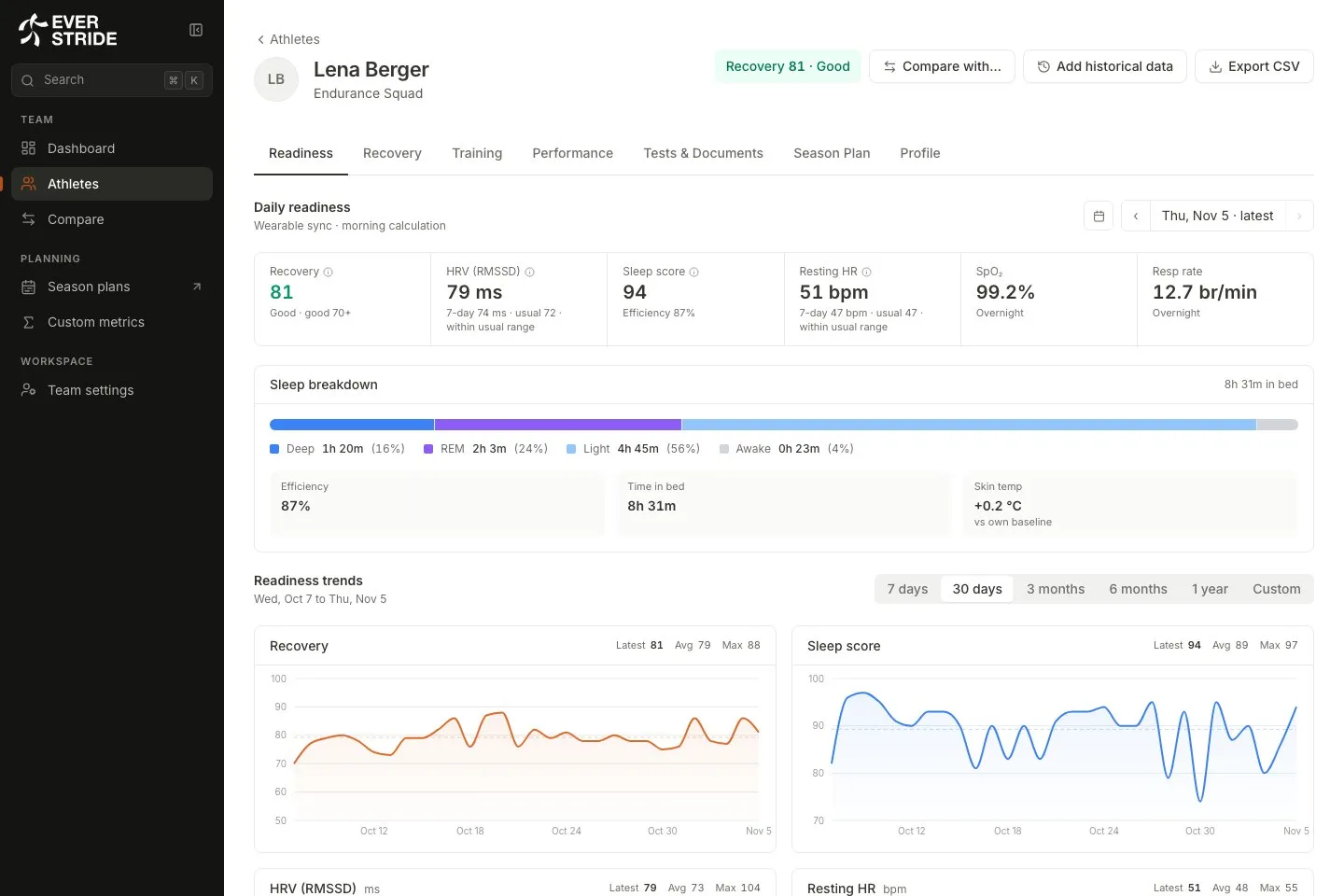
Section titled “The top of the page”The header shows the athlete’s name, team, season plan phase and next race, plus their latest recovery score with the name of the device behind it, such as “WHOOP recovery”. The buttons here are:
- Compare with… opens this athlete next to others.
- Add historical data lets you enter older data.
- Export CSV downloads the last 12 months of daily readiness and sleep.
If the athlete is flagged, a callout above the tabs explains why and links to the right tab.
The seven tabs
Section titled “The seven tabs”Readiness
Section titled “Readiness”Their day at a glance. Choose a date to see recovery, HRV, sleep, resting heart rate and more, then look further down for the sleep breakdown and trends.
For HRV and resting heart rate, Everstride compares the last 7 days with the athlete’s usual and tells you whether the change is real:
- Within usual range means this looks like normal variation.
- Well below usual or well above usual means the gap is larger than their normal day-to-day swing.
- Low confidence means there are fewer than 14 nights from this device so far.
Use Events here to note things like illness, altitude or a crash. They show as shaded areas on the charts, which helps explain odd numbers later.
Recovery
Section titled “Recovery”Recovery over time. Choose a window from 7 days up to a year or all data. The window controls the tiles, the chart and the table together. A missing day shows as a gap in the chart, never as zero.
Training
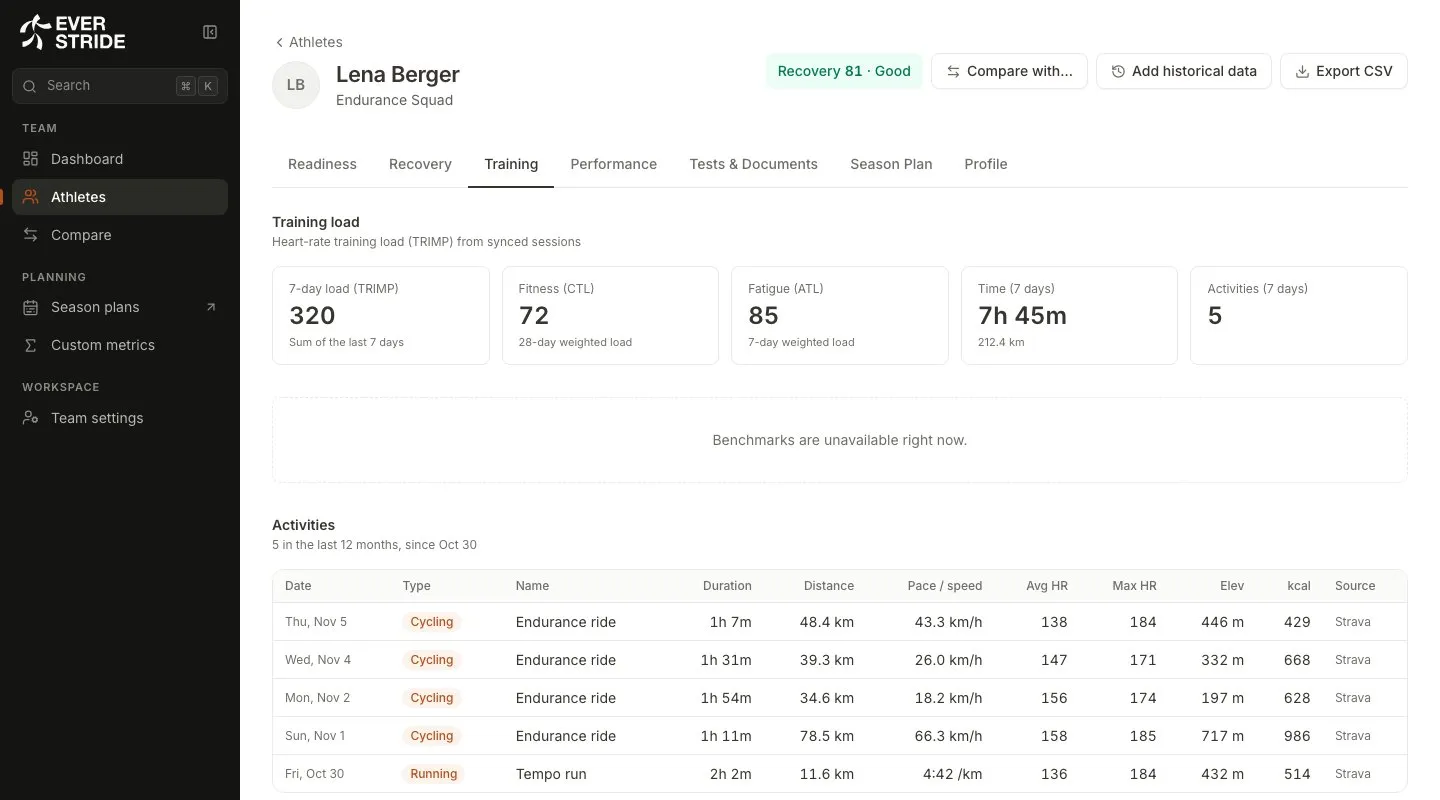
Section titled “Training”Load and sessions. You’ll find 7-day load, Fitness, Fatigue, time, activity counts and the load ratio, then a table of activities.
Performance
Section titled “Performance”The athlete’s physical profile. This starts with your dashboard tiles, then the power curve and power benchmarks, then physiology, body composition and blood.
Benchmarks use three plain levels: Pro level, Top amateur and Amateur. Where a test is missing, you’ll see Record a test.
Tests & Documents
Section titled “Tests & Documents”Lab and field tests, with their reports. See Tests and documents.
Season Plan
Section titled “Season Plan”The athlete’s week-by-week plan. See Season plans.
Profile
Section titled “Profile”Personal details, measurements and time zone. The athlete sets their own time zone in their app, and you can see it here.
When something looks missing
Section titled “When something looks missing”| You see | Why |
|---|---|
| Not shared by athlete | They’ve switched that category off. Only they can turn it back on. |
| Wearable not syncing | No new data has arrived recently. See Fix syncing problems. |
| Wearable needs reconnecting | Their sign-in with the device maker has expired. Only they can reconnect, in the Devices page of their app. |
| HRV SDNN instead of HRV | Their device reports a different type of HRV. See Metrics explained. |