

Get set up
Create your account
Sign up for the Everstride athlete app in a few minutes.
The athlete app runs in your browser, so there’s nothing to install. It’s designed for your phone and works on a computer too.
Your account belongs to you. Your coach can’t see your password, and they only see the data you choose to share.
Before you start
Section titled “Before you start”Have these ready:
- Your email address.
- Your team link, team code or email invitation from your coach, if you have one.
- The sign-in details for your device’s app, such as Garmin Connect or WHOOP.
Sign up
Section titled “Sign up”-
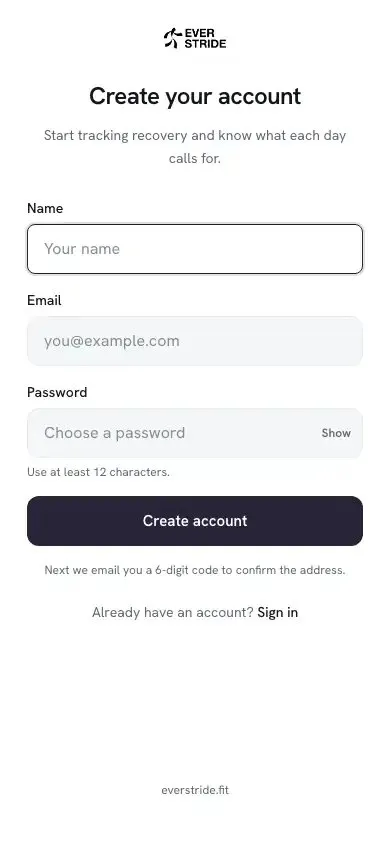
Open the athlete app. Use your coach’s link, or go to athlete.everstride.fit and choose Create account.
-
Enter your details. Add your name and email, then choose a password of at least 12 characters.
-
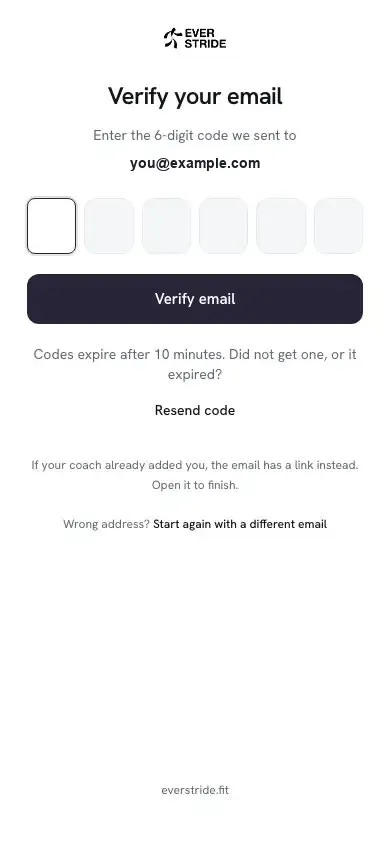
Check your email. We send you a 6-digit code. Codes expire after 10 minutes. If yours hasn’t arrived, check your spam folder or choose Resend code.
-
Enter the code. You can paste it into the first box, and it will submit on its own.
The three setup steps
Section titled “The three setup steps”After you confirm your email, three short steps finish your setup:
| Step | What you do | Guide |
|---|---|---|
| 1. Team | Join your coach’s team, or skip this for now | Join your team |
| 2. Device | Link your watch, ring or training app | Connect your device |
| 3. About you | Add your height, weight and sex | See below |
About you
Section titled “About you”This helps tailor your training data and the reference ranges your results are read against. You can choose Prefer not to say for sex.
All of these are optional, and you can change them later in your Profile.
Then you’re done. Choose Go to Today to see your dashboard.
Sign in later
Section titled “Sign in later”Go to athlete.everstride.fit and sign in.
If you forget your password
Section titled “If you forget your password”- On the sign-in page, choose Forgot password?
- Enter your email address.
- Open the link we email you. It works for 30 minutes, so check your spam folder if you can’t see it.
- Choose a new password.